Dein Server. Dein Mac.
Ein Fenster.
Docklane ist der FTP-, FTPS- und SFTP-Client für macOS, der sich wie der Finder anfühlt. Mit einem SSH-Terminal, in dem Claude Code direkt auf deinem Server arbeitet.
4,99 € einmalig. Kein Abo, keine Cloud, kein Tracking.
Der Unterschied
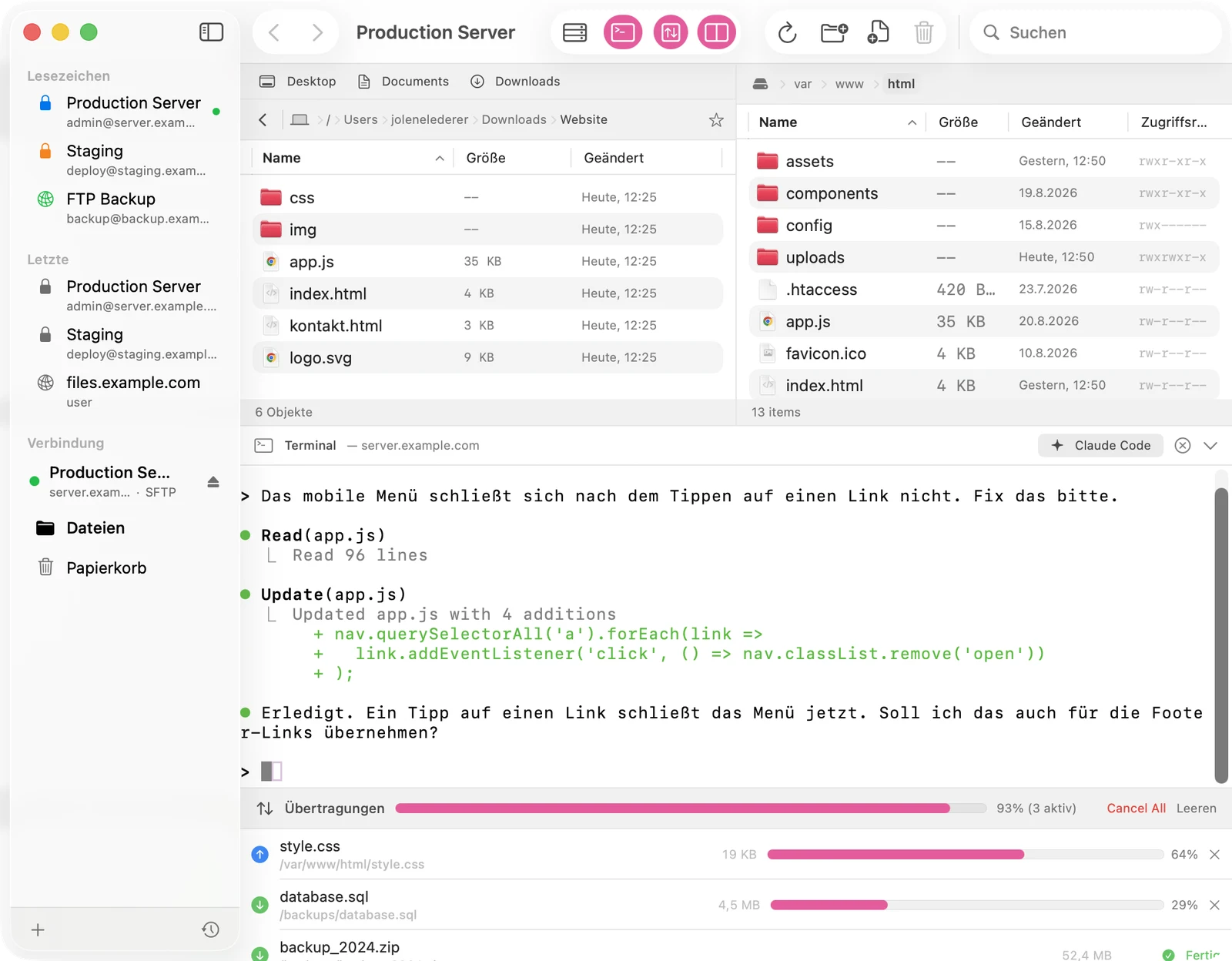
Claude Code. Direkt auf deinem Server.
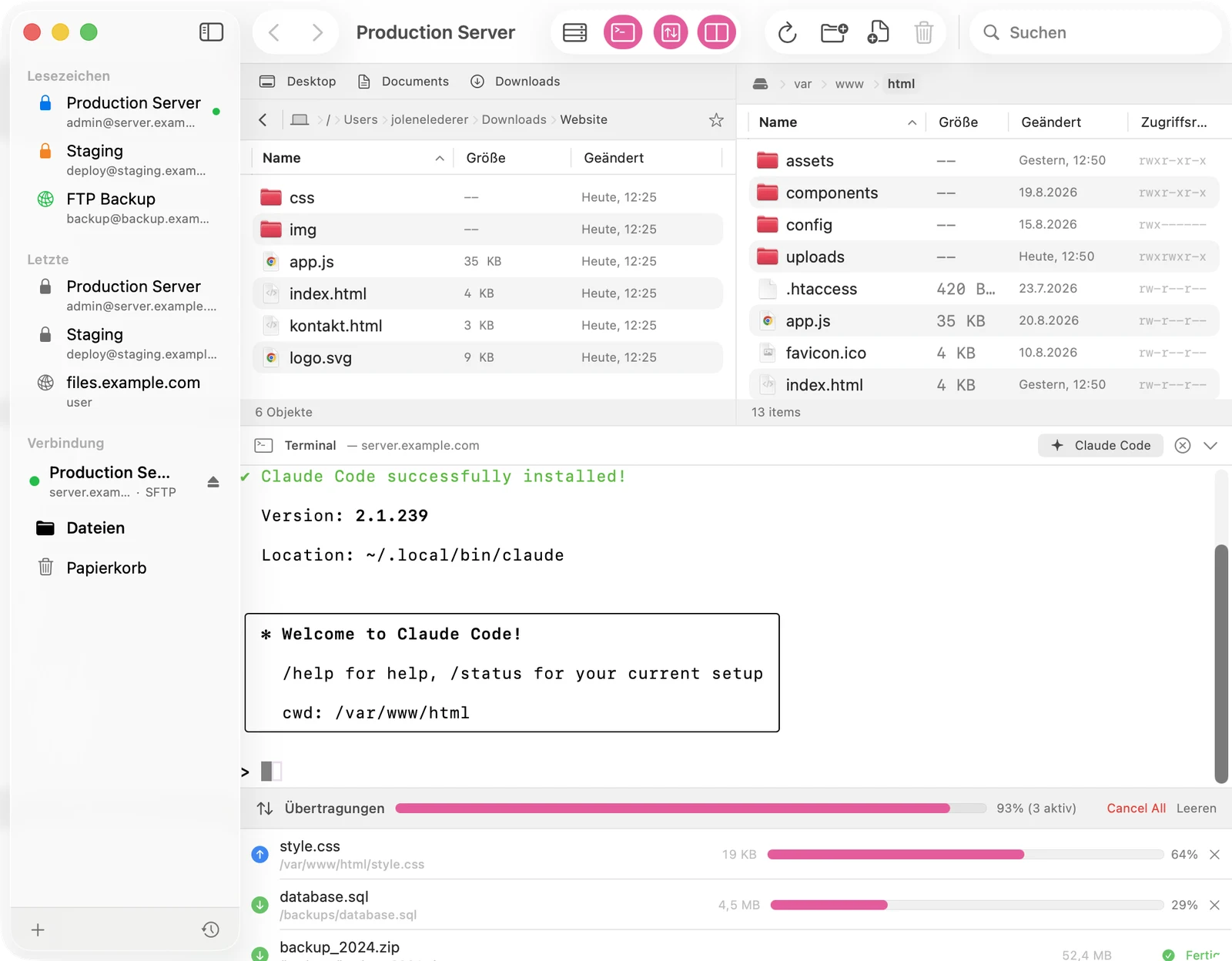
Docklane öffnet über SFTP eine echte Shell auf deinem Webspace. Ein Klick auf den Claude-Code-Button installiert und startet Anthropics KI-Kommandozeile genau dort, wo deine Website liegt. Fehler fixen, Menüs bauen, Inhalte ändern: Du beschreibst es, Claude ändert die Dateien am Server.
- Ein-Klick-Installation, transparent sichtbar im Terminal
- Login-Links aus dem Terminal öffnen sich per Button im Browser
- Volles xterm-256color-Terminal, auch für vim, htop und Git
Dual-Pane-Browser
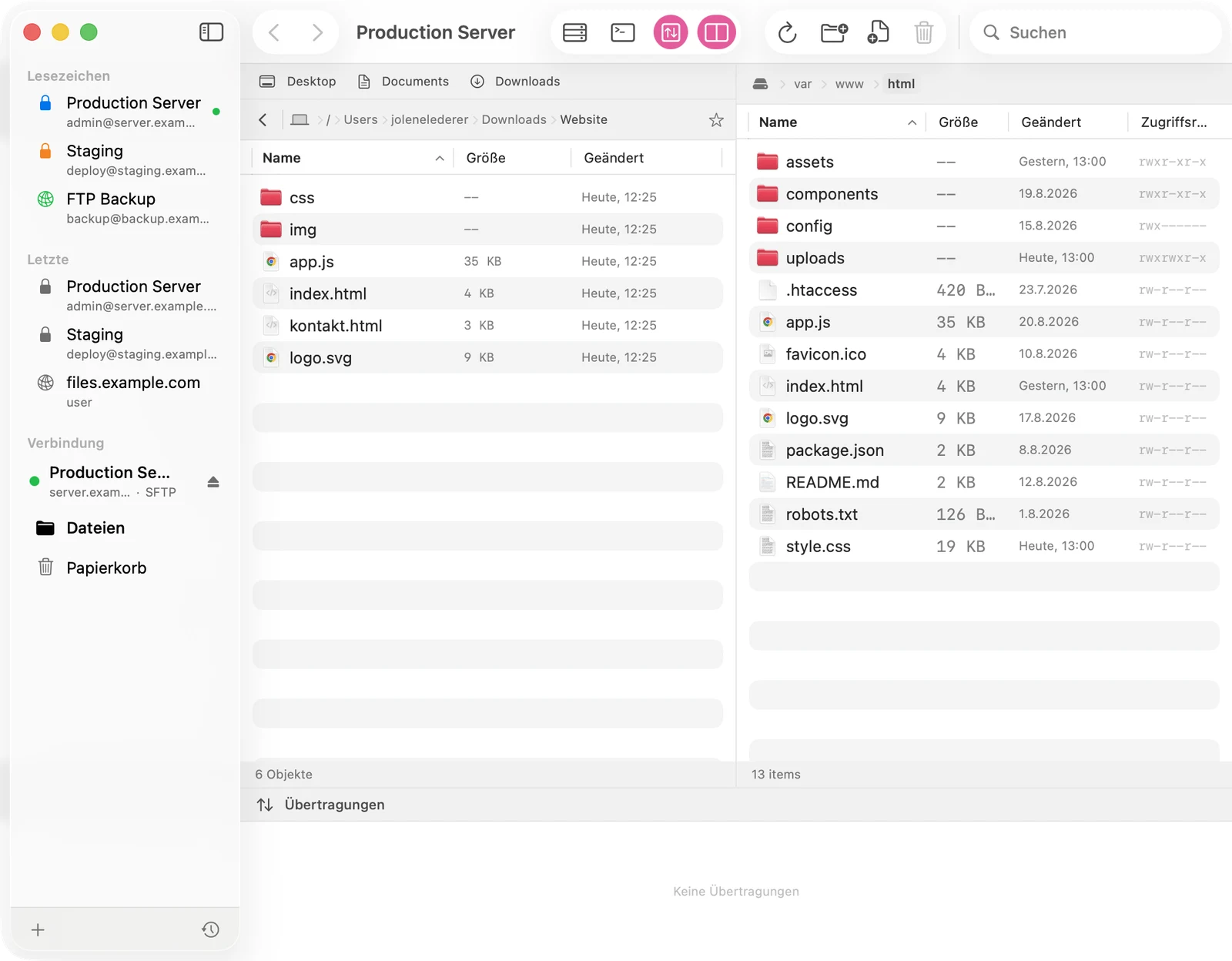
Lokal links. Server rechts.
Beide Welten in einem Fenster, mit Drag & Drop in beide Richtungen, Breadcrumb-Navigation, Schnellsuche, versteckten Dateien auf Wunsch und Rechteverwaltung per chmod.
Übertragungen
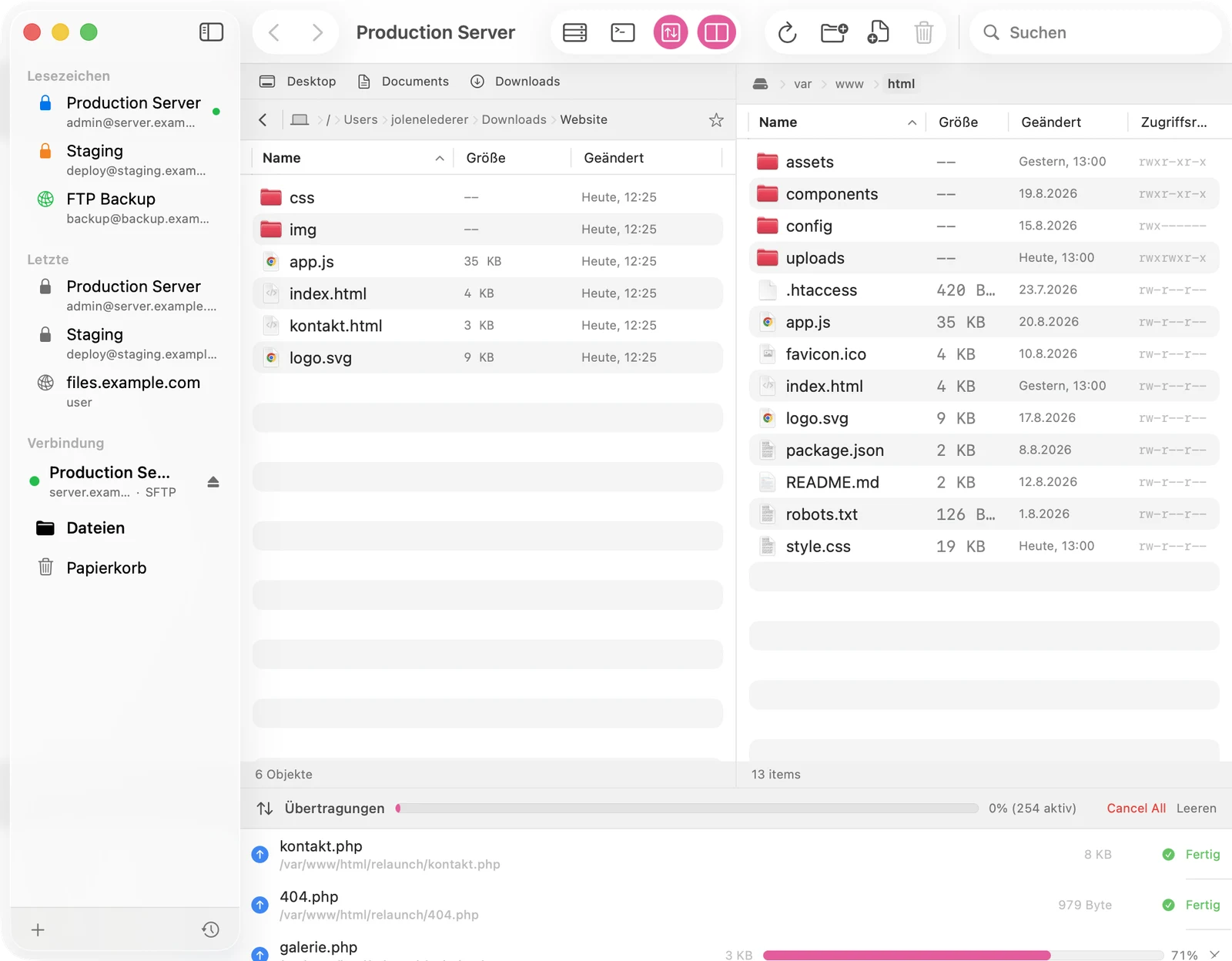
256 Dateien? Kein Problem.
Jeder Transfer-Slot öffnet seine eigene Verbindung zum Server. Große Ordner landen komplett in der Warteschlange, Uploads laufen parallel und das Browsen bleibt dabei flüssig.
- Parallele Verbindungen, konfigurierbar von 1 bis 5
- Automatische Dateiversionen vor jedem Überschreiben
- Live-Bearbeitung: speichern im Editor, Upload passiert automatisch
Sicherheitsnetz
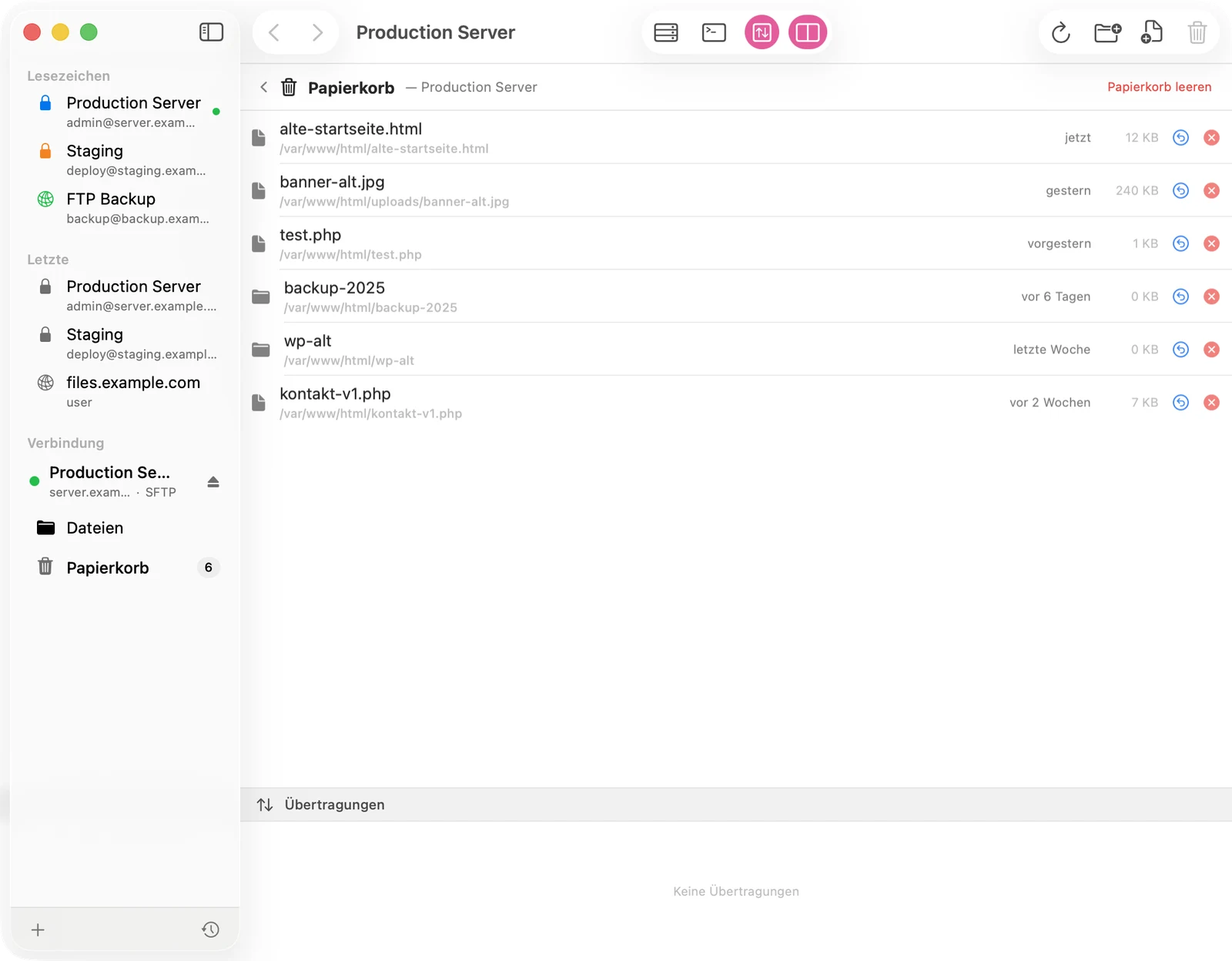
Papierkorb statt Panik.
Gelöschte Dateien verschwinden nicht, sie wandern in einen Papierkorb auf dem Server. 30 Tage lang stellst du alles mit einem Klick wieder her. Dazu Undo und Redo für Dateioperationen.
Drei Protokolle
SFTP, FTPS (implizites TLS) und klassisches FTP. Einfach sftp://user@server einfügen, Docklane parst den Rest.
Schlüsselbund & TOFU
Passwörter liegen im macOS-Schlüsselbund. SFTP-Host-Keys werden beim ersten Verbinden gespeichert und danach verifiziert.
Lesezeichen
Server mit Farbmarkierungen, zuletzt verwendete Verbindungen und eine Schnellverbindungsleiste im Fenster.
Automatische Wiederverbindung
Verbindungsüberwachung im Hintergrund, nach Standby oder Netzwechsel verbindet Docklane automatisch neu.
Quick Look & Editor
Dateivorschau mit der Leertaste, Doppelklick öffnet Textdateien im Lieblingseditor mit Auto-Upload beim Speichern.
Nativ für macOS
100 % SwiftUI, gebaut für macOS 26, optimiert für Apple Silicon. Keine Cloud, keine Konten, kein Tracking.
Preis
Einmal zahlen. Fertig.
- Alle Funktionen enthalten
- SSH-Terminal und Claude-Code-Button
- Updates inklusive
FAQ
Häufige Fragen
Was brauche ich, damit Claude Code auf meinem Server läuft?
Einen Hosting-Account mit SSH-Zugang (bei den meisten Anbietern im Kontrollpanel aktivierbar) und ein Claude-Konto. Docklane verbindet sich per SFTP, öffnet die Shell und installiert Claude Code auf Wunsch mit einem Klick. Ist der Account nur für SFTP freigeschaltet, sagt dir Docklane das klar und deutlich.
Unterstützt Docklane FTP, FTPS und SFTP?
Ja, alle drei. SFTP läuft über SSH, FTPS über implizites TLS und klassisches FTP bleibt für alte Server erhalten. Host-Keys werden per Trust-on-first-use geprüft, Passwörter landen ausschließlich im macOS-Schlüsselbund.
Was passiert mit gelöschten Dateien?
Sie wandern in einen Papierkorb-Ordner auf dem Server und lassen sich 30 Tage lang wiederherstellen. Erst danach räumt Docklane automatisch auf. Endgültig löschen geht natürlich auch, aber nur, wenn du es willst.
Wie schnell sind große Uploads?
Docklane öffnet pro Transfer-Slot eine eigene Verbindung zum Server, bis zu fünf parallel. Ein Ordner mit hunderten Dateien wird vorab komplett eingereiht, die Warteschlange arbeitet parallel und du kannst währenddessen normal weiterbrowsen.
Sammelt Docklane Daten?
Nein. Docklane verbindet sich direkt mit deinen Servern. Keine Cloud dazwischen, keine Konten, keine Telemetrie. Zugangsdaten bleiben im Schlüsselbund deines Macs.