Your server. Your Mac.
One window.
Docklane is the FTP, FTPS and SFTP client for macOS that feels like Finder. With an SSH terminal where Claude Code works right on your server.
$4.99 once. No subscription, no cloud, no tracking.
The difference
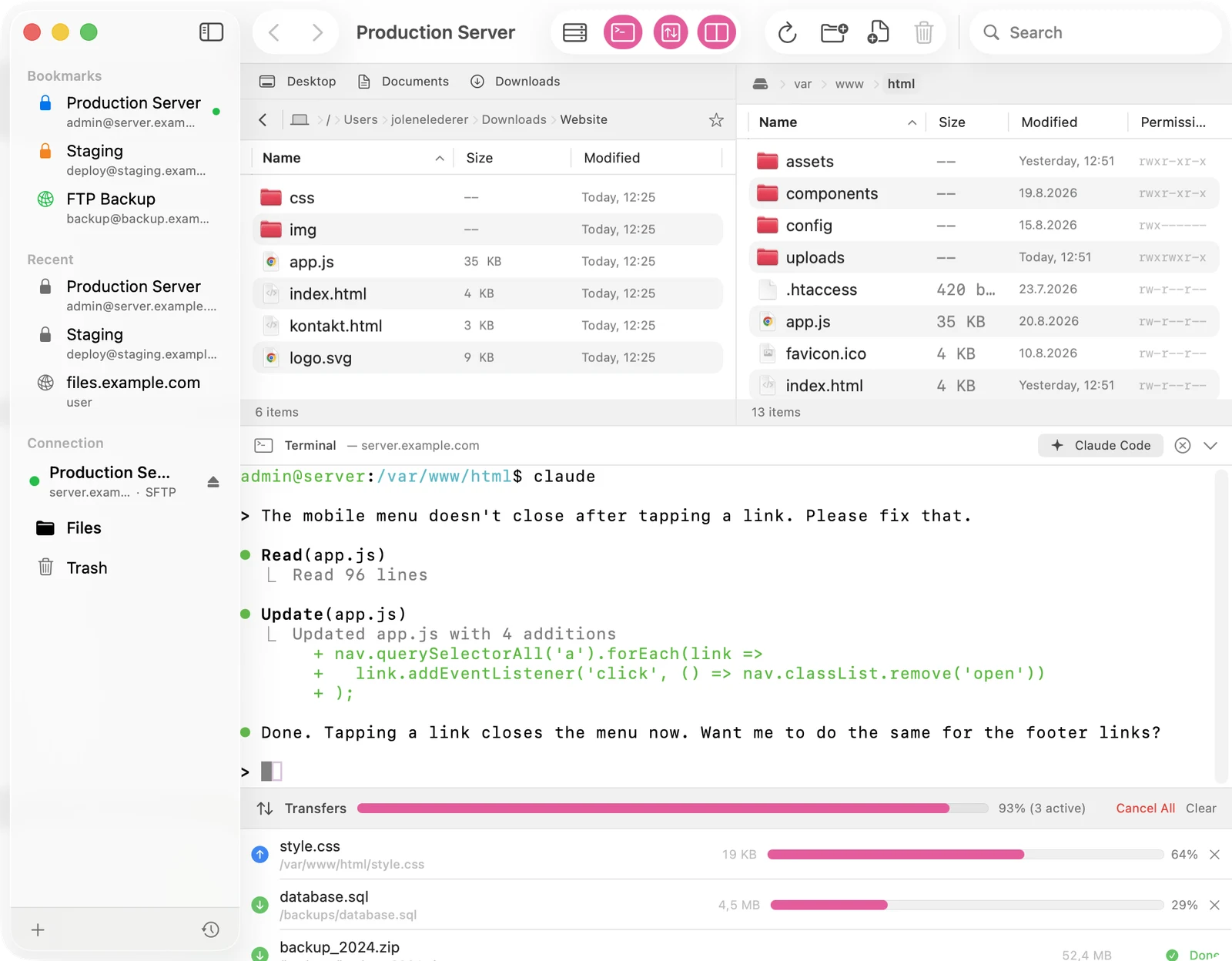
Claude Code. Right on your server.
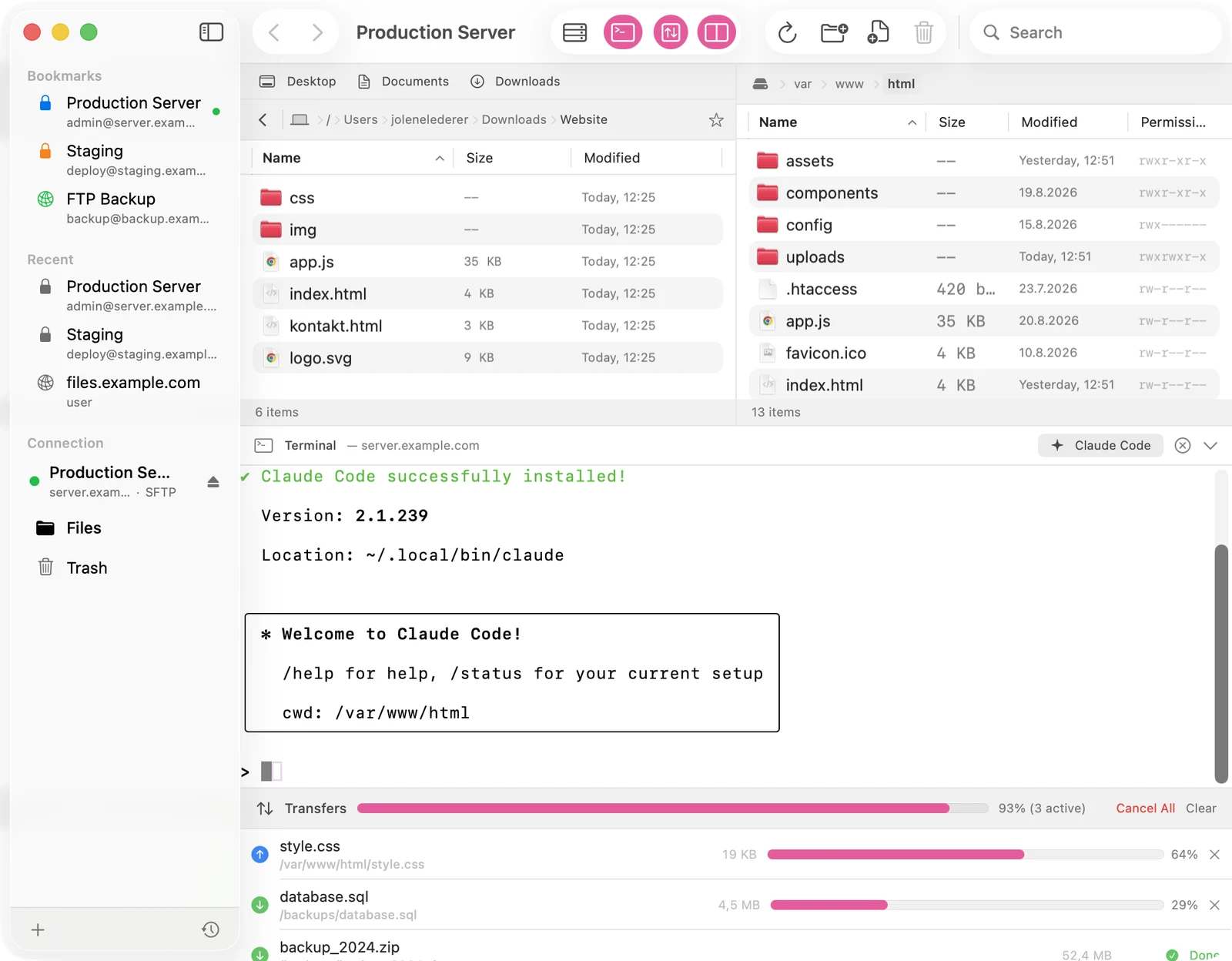
Docklane opens a real shell on your webspace over SFTP. One click on the Claude Code button installs and starts Anthropic's AI command line exactly where your website lives. Fix bugs, build menus, change content: you describe it, Claude edits the files on the server.
- One-click install, fully visible in the terminal
- Login links from the terminal open in your browser via a button
- Full xterm-256color terminal, works with vim, htop and Git too
Dual-pane browser
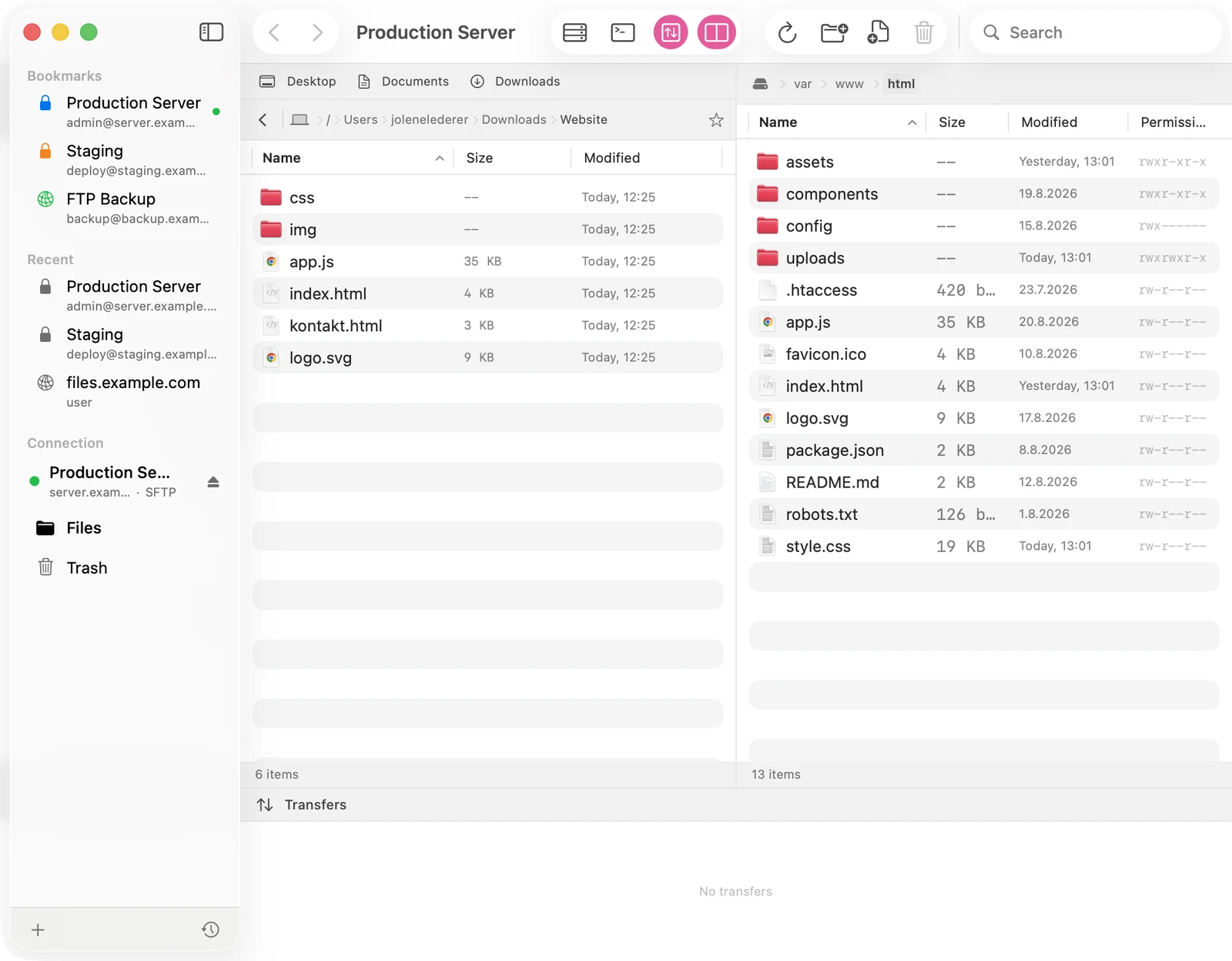
Local left. Server right.
Both worlds in one window, with drag and drop in both directions, breadcrumb navigation, quick search, optional hidden files and chmod permission editing.
Transfers
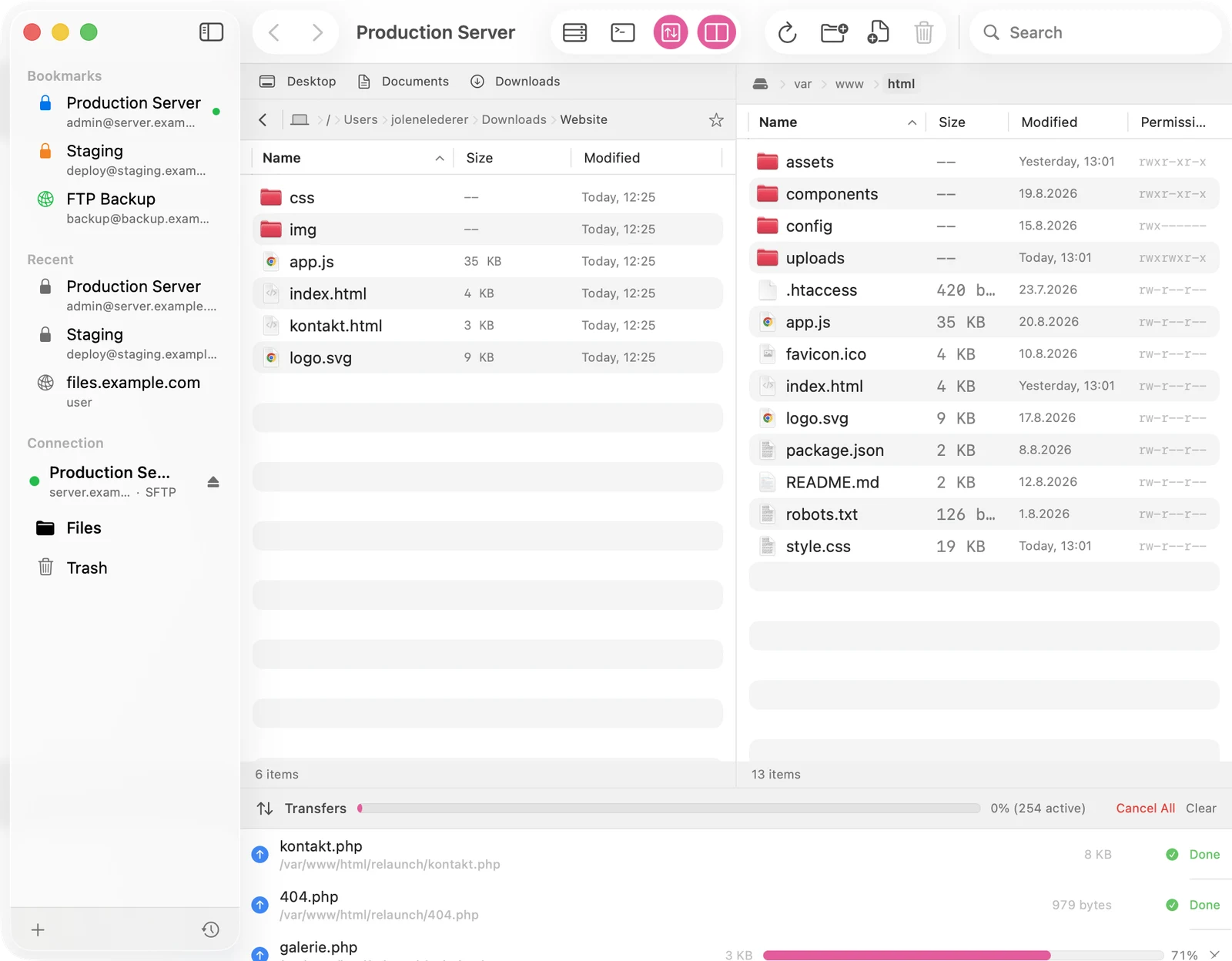
256 files? No problem.
Every transfer slot opens its own connection to the server. Large folders are queued in full up front, uploads run in parallel and browsing stays smooth the whole time.
- Parallel connections, configurable from 1 to 5
- Automatic file versions before every overwrite
- Live editing: save in your editor, the upload happens automatically
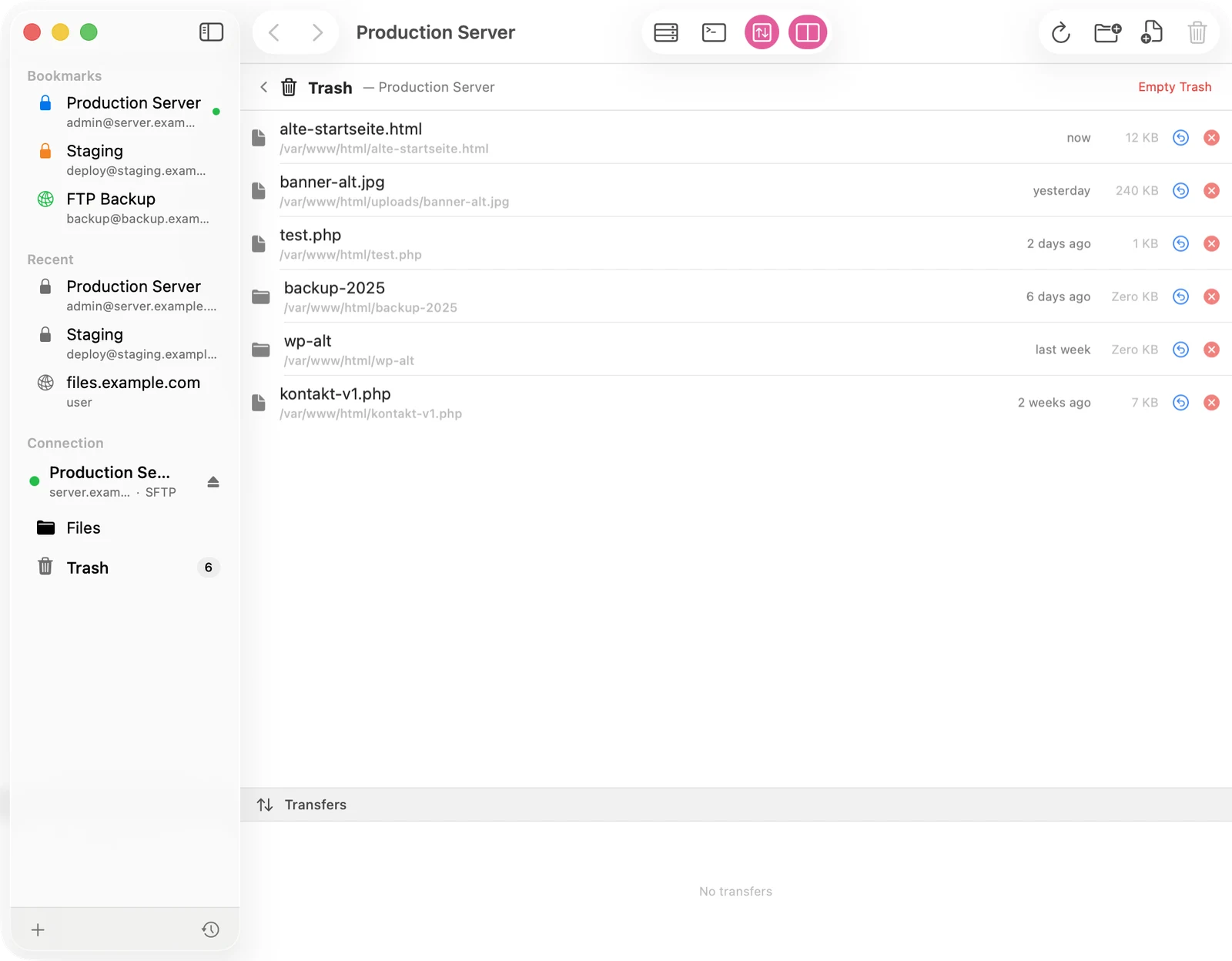
Safety net
A trash, not a void.
Deleted files don't vanish, they move to a trash folder on the server. For 30 days you can restore everything with one click. Plus undo and redo for file operations.
Three protocols
SFTP, FTPS (implicit TLS) and classic FTP. Just paste sftp://user@server and Docklane parses the rest.
Keychain & TOFU
Passwords live in the macOS keychain. SFTP host keys are stored on first connect and verified ever after.
Bookmarks
Servers with color tags, recent connections and a quick-connect bar right in the window.
Auto-reconnect
Background connection monitoring; after sleep or a network change Docklane reconnects automatically.
Quick Look & editor
Preview files with the space bar; double-click opens text files in your favorite editor with auto-upload on save.
Native for macOS
100% SwiftUI, built for macOS 26, optimized for Apple Silicon. No cloud, no accounts, no tracking.
Pricing
Pay once. Done.
- All features included
- SSH terminal and Claude Code button
- Updates included
FAQ
Frequently asked questions
What do I need to run Claude Code on my server?
A hosting account with SSH access (most providers let you enable it in the control panel) and a Claude account. Docklane connects over SFTP, opens the shell and installs Claude Code with one click if you want. If your account is SFTP-only, Docklane tells you so in plain words.
Does Docklane support FTP, FTPS and SFTP?
Yes, all three. SFTP runs over SSH, FTPS over implicit TLS, and classic FTP remains for older servers. Host keys are checked with trust-on-first-use, passwords are stored exclusively in the macOS keychain.
What happens to deleted files?
They move to a trash folder on the server and can be restored for 30 days. Only after that does Docklane clean up automatically. Permanent deletion is available too, but only when you ask for it.
How fast are large uploads?
Docklane opens a dedicated connection per transfer slot, up to five in parallel. A folder with hundreds of files is queued in full up front, the queue works in parallel and you can keep browsing the whole time.
Does Docklane collect data?
No. Docklane connects directly to your servers. No cloud in between, no accounts, no telemetry. Credentials stay in your Mac's keychain.