The SFTP and FTP client that feels like Finder.
Docklane is built 100% natively for macOS: SwiftUI, Apple Silicon, keychain, Quick Look. No Java, no Electron, no cloud in between. Managing files on your server should feel like managing files on your Mac.
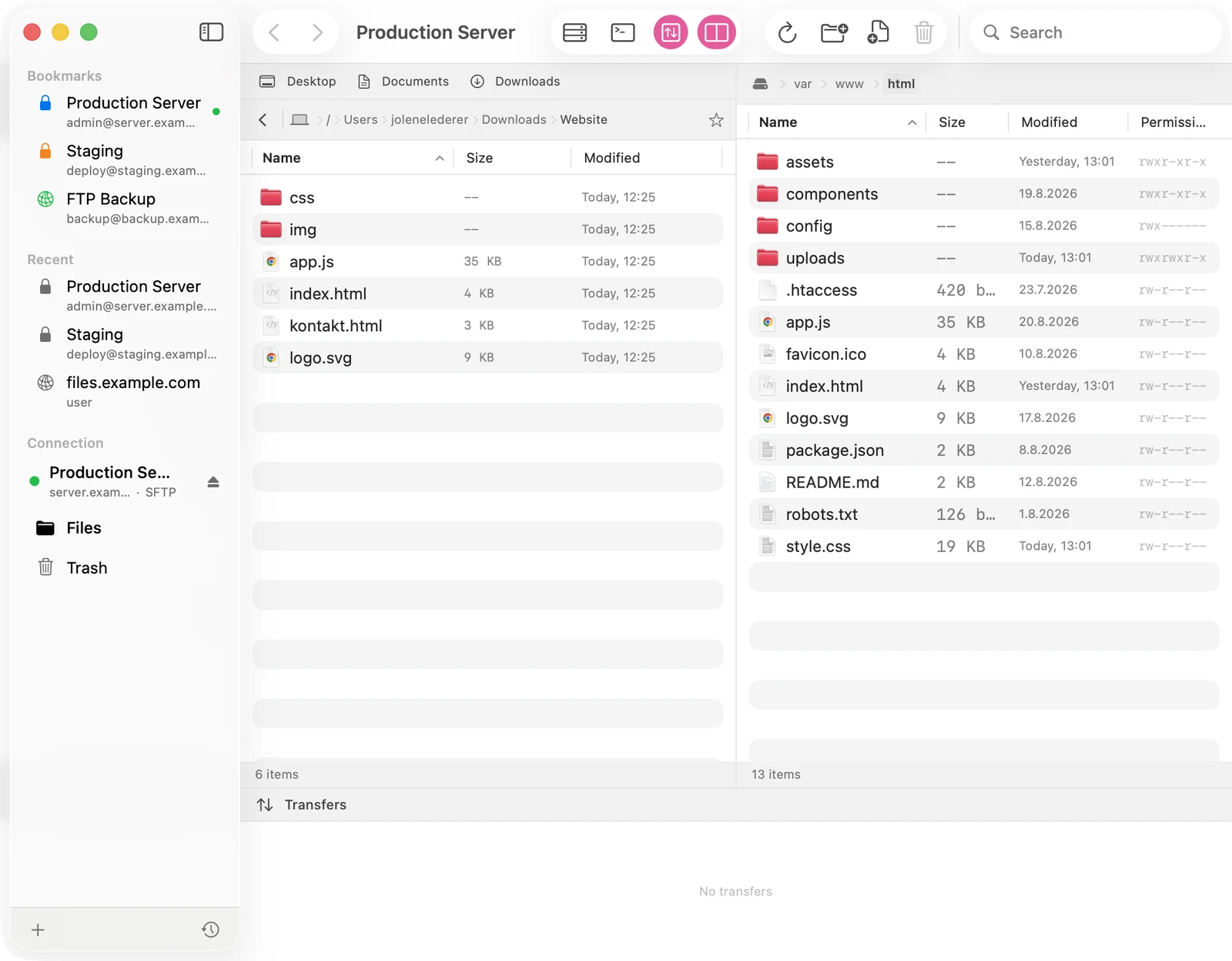
Dual-pane: local left, server right
Both sides in one window, with drag and drop in both directions. Breadcrumb navigation, back and forward like a browser, quick search across subfolders, hidden files on a shortcut, Unix permissions as a column and chmod via dialog. Double-click opens text files in your favorite editor; on save, Docklane uploads automatically.
Parallel transfers with dedicated connections
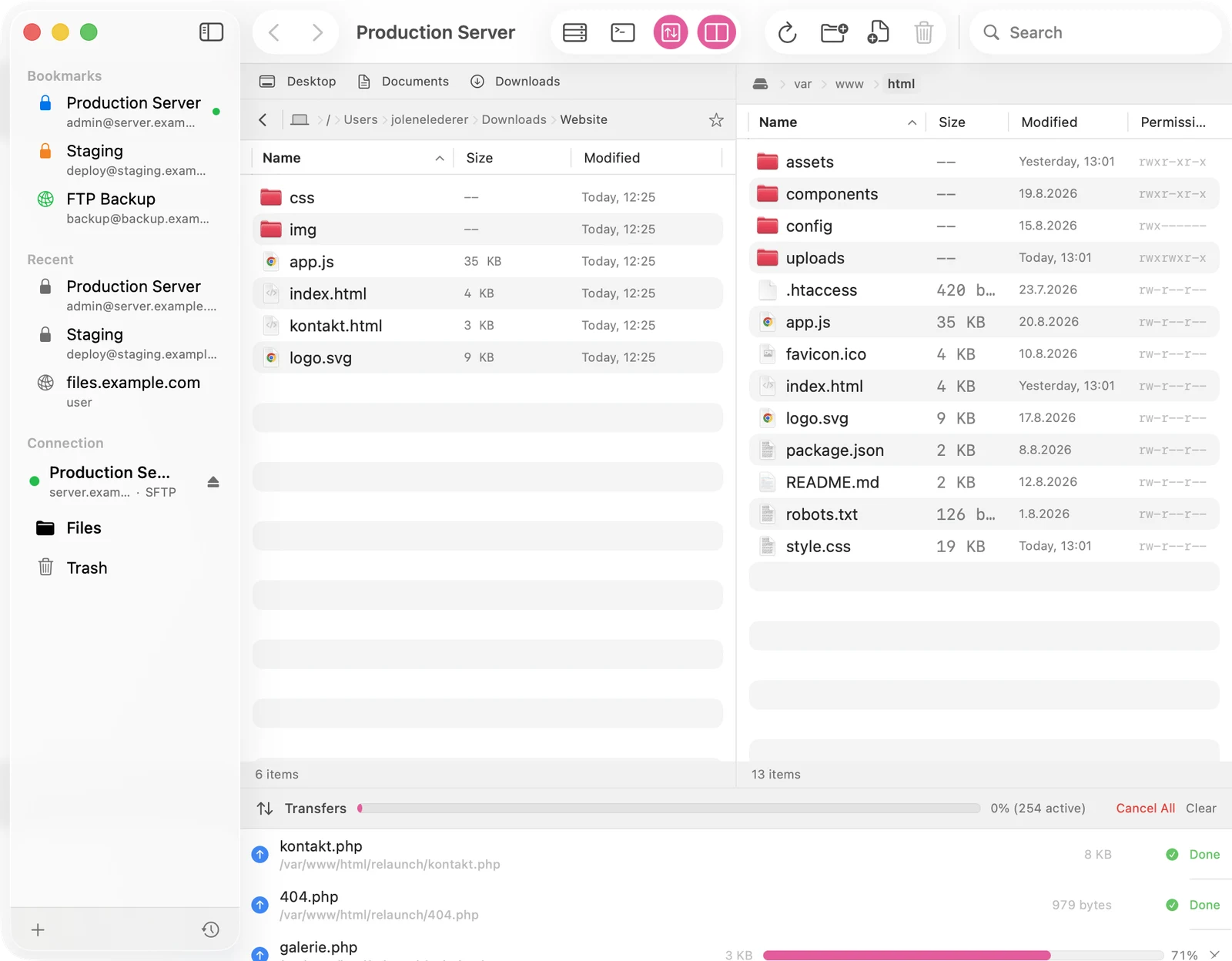
The classic FTP app problem: one upload runs and everything else stalls. Docklane instead opens a dedicated connection per transfer slot, configurable from 1 to 5. A folder with hundreds of files is queued in full up front, the queue shows real progress and you just keep browsing.
A built-in safety net
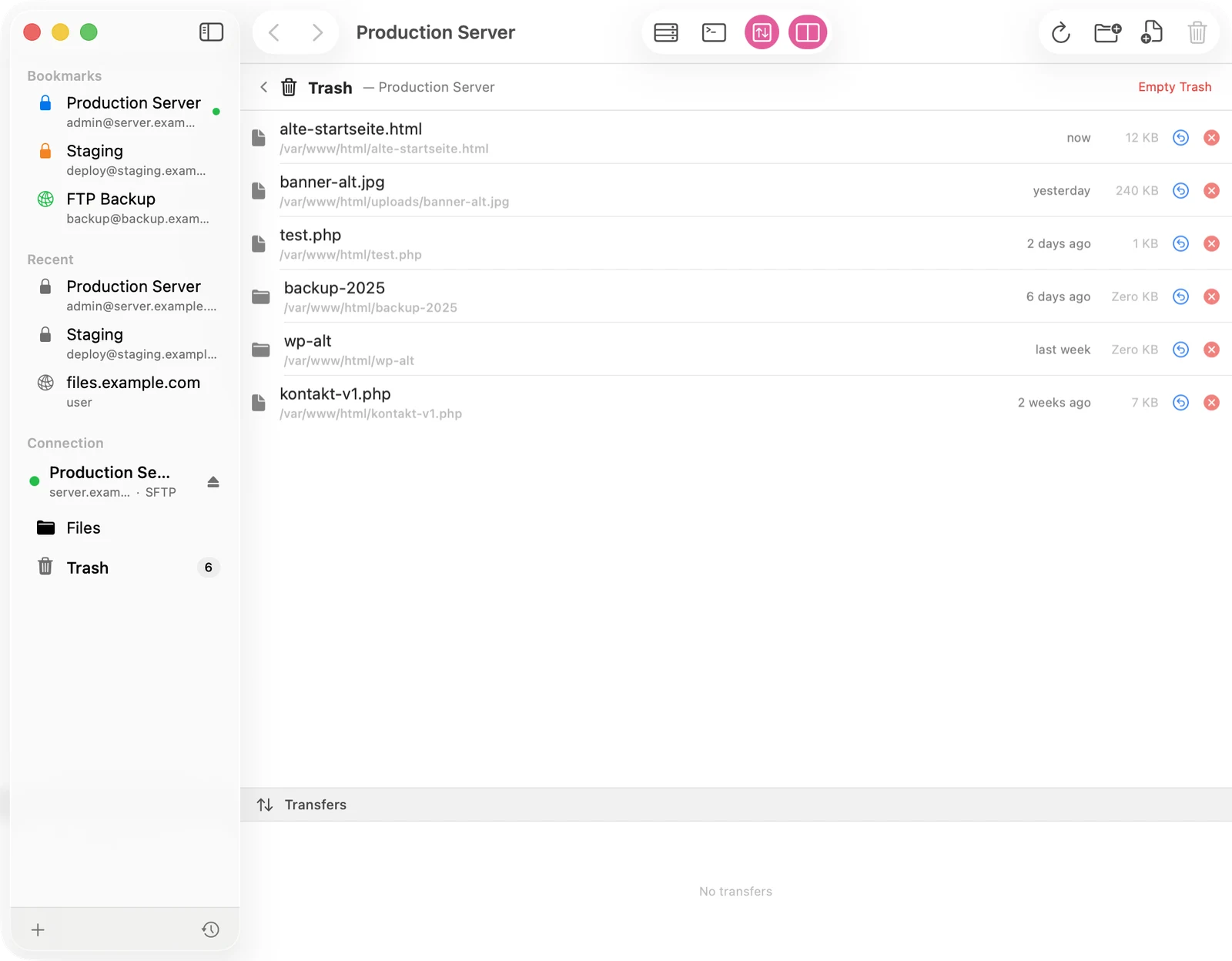
Deleted files move to a trash folder on the server and stay restorable for 30 days. Before every overwrite, Docklane keeps up to ten file versions locally. File operations support undo and redo, the way macOS should.
Three protocols, one client
SFTP over SSH for modern hosts, FTPS with implicit TLS, and classic FTP for the old ones. Docklane understands pasted URLs like sftp://user@server:port/path including port and start folder. Host keys are stored on first connect and verified on every connection after; if they change, Docklane blocks and says why.
Passwords in the keychain
Credentials are stored exclusively in the macOS keychain, never in config files. Saving happens only after a successful login, so a mistyped password never overwrites a working one. The app is sandboxed and connects only to your servers: no accounts, no telemetry.
Frequently asked questions
Does Docklane support SFTP, FTPS and FTP?
Yes, all three. SFTP over SSH, FTPS with implicit TLS on port 990 and classic FTP. SFTP host keys use trust-on-first-use.
Will Docklane run on my Mac?
Docklane requires macOS 26.1 or later and is optimized for Apple Silicon.
Is there a subscription?
No. A one-time $4.99 on the Mac App Store, all features and updates included.
Can I see hidden files like .htaccess?
Yes, on both sides. Cmd+Shift+Period or the setting toggles hidden files locally and on the server.